
Cinematic Clips · footage format
A movie clip Short maker built around your commentary
Cinematic Clips is a movie clip Short maker for commentary channels. Name a film or a show, or paste a link to the scene, and Viducia AI cuts it into one Short: a cold open on its best moment, quick cuts of its biggest lines, and your narrator explaining why it works. Or switch the narrator off for a raw cut.
- One scene, quick cuts
- Its best moments and lines
- Narrator optional
Movie and TV commentary, recap and edit channels.
The cut, frame by frame
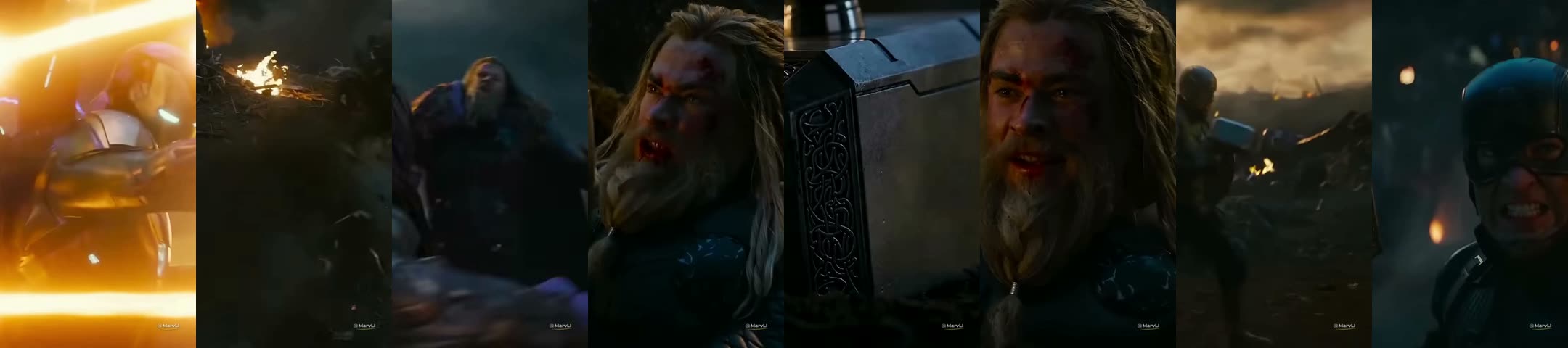
Eight frames from the real render, left to right0:00 to 0:55
What you type
One optional box. Fill it to steer every video, or leave it empty and let Viducia choose.
- Field
- Movies or shows (optional)
- For example
- Marvel, Breaking Bad, 90s action films…
- Left empty
- Viducia picks a popular scene
What else you set
Saved once in a template, then used for every video. Narrator, captions, music and watermark work the same way in every format.
- Movie or show
- A title, a franchise or a decade, with an optional YouTube link to the exact scene
- Narration
- On for commentary, off for a raw cut of the scene in order
- Dialogue up front
- On by default: the film is heard when someone speaks
- Volume
- Original audio, music and narration, with recommended ranges
- Length
- 45 to 60 seconds recommended
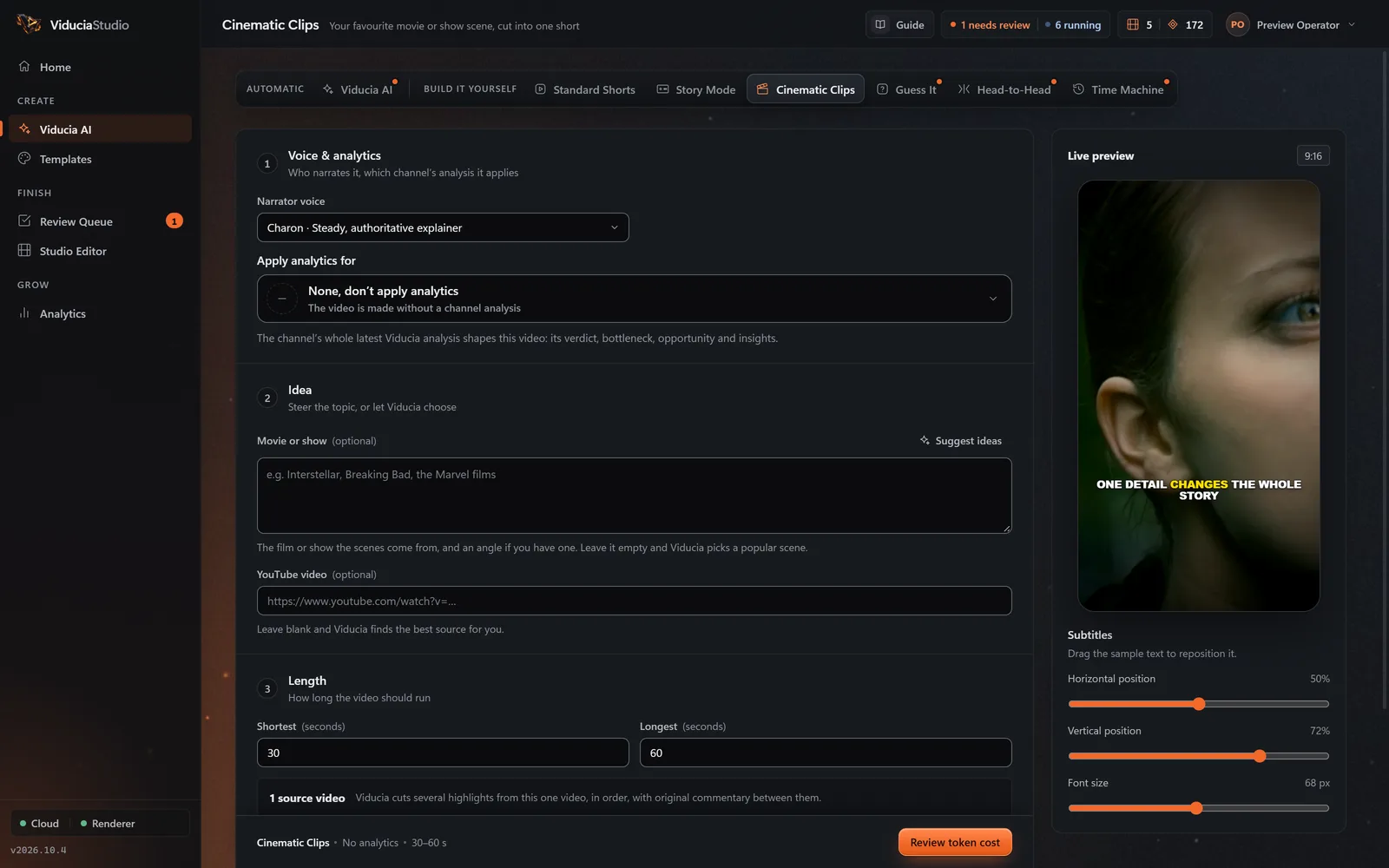
What Viducia does
The steps the app’s live build view shows while your Cinematic Clips video is made. You approve the price before the first one; if any step fails, the video and its tokens come back.
-
Setup
Reads your template: movies or shows, narrator on or off, the audio levels and the length.
-
Footage
Researches the scenes people talk about, names the strongest, and finds that scene’s own clip on YouTube, or uses the link you pasted.
-
Source edit
Transcribes the film’s lines, measures shot changes, motion and loudness, and plans a cold open plus acts of quick cuts that never split a word.
-
Voice
Your narrator records the hook and the bridges between acts: 3 to 11 words each, a sharp take, never a recap.
-
Prompts
Adds the closing question and up to two engagement prompts.
-
Pictures
Prepares the blurred, dimmed backdrop the narrator speaks over. Cinematic Clips adds no extra pictures.
-
Sound
Replaces the score with library music, lifts the film’s dialogue, dips the music under every line and levels the Short to −14 LUFS.
-
Assembly
Checks one source, at least two commentary bridges and the timing of every cut, then sends it to your Review Queue.
What the finished video looks like
The studio recommends 45 to 60 seconds. Vertical 9:16, rendered at 1080 × 1920 by default.
- Cold open 5 to 7 s
- Hook
- Bridge
- Act quick cuts
- Bridge
- Act quick cuts
- Close a question
- Cuts
- Picture cuts around 1.6 seconds, held longer through an exchange, never splitting a word
- Commentary
- While the narrator speaks, the scene continues blurred and dimmed behind them
- Dialogue
- The film is heard when someone speaks; library music carries the rest
- Captions
- Both the narrator and the film’s lines, never in the same caption
Where the footage comes from
One source scene, cut into short excerpts around your narrator’s commentary.
- Exactly one source scene per Short, recorded with its YouTube URL, title, channel and time span.
- Footage is never disguised: no mirroring, grain or pitch shifting. It is presented honestly as commentary.
How the source is transformed
Cinematic Clips is commentary first. Short excerpts of one scene, bridged by your narrator, with the film score replaced. Fair use is the design, not an afterthought.
Commentary-led: your narrator bridges the excerpts
Short excerpts of one scene, with 45 to 60 seconds recommended
The film score is replaced by library music
Every source clip is recorded with the project
Questions about Cinematic Clips
More in the full FAQ, including videos and tokens.
Can I choose the exact scene?
Yes. Name a movie or show, or paste a YouTube link to the scene. Left empty, Viducia researches the scenes people are talking about and picks one.
Can I turn the narrator off?
Yes. With narration off you get a raw cut: the scene plays in order with the film’s own lines as captions.
What happens to the film’s sound?
Dialogue stays up front: the film is heard when someone speaks, library music replaces the score, the music dips under every line, and the whole Short is levelled to −14 LUFS.
How long should a Cinematic Clip be?
The studio recommends 45 to 60 seconds: one scene, short excerpts of it, and your narrator bridging the moments.
Build a Cinematic Clips template
Open the Template Studio on Cinematic Clips, shape the look and sound on a live phone, and save it to a free account. Every Cinematic Clips video then uses one video from your weekly allowance.