
Download ViduciaStudio for Windows
ViduciaStudio is a Windows desktop app. Viducia AI prepares each video in the cloud, then your PC renders the finished master with FFmpeg, ready to download and post wherever you like.
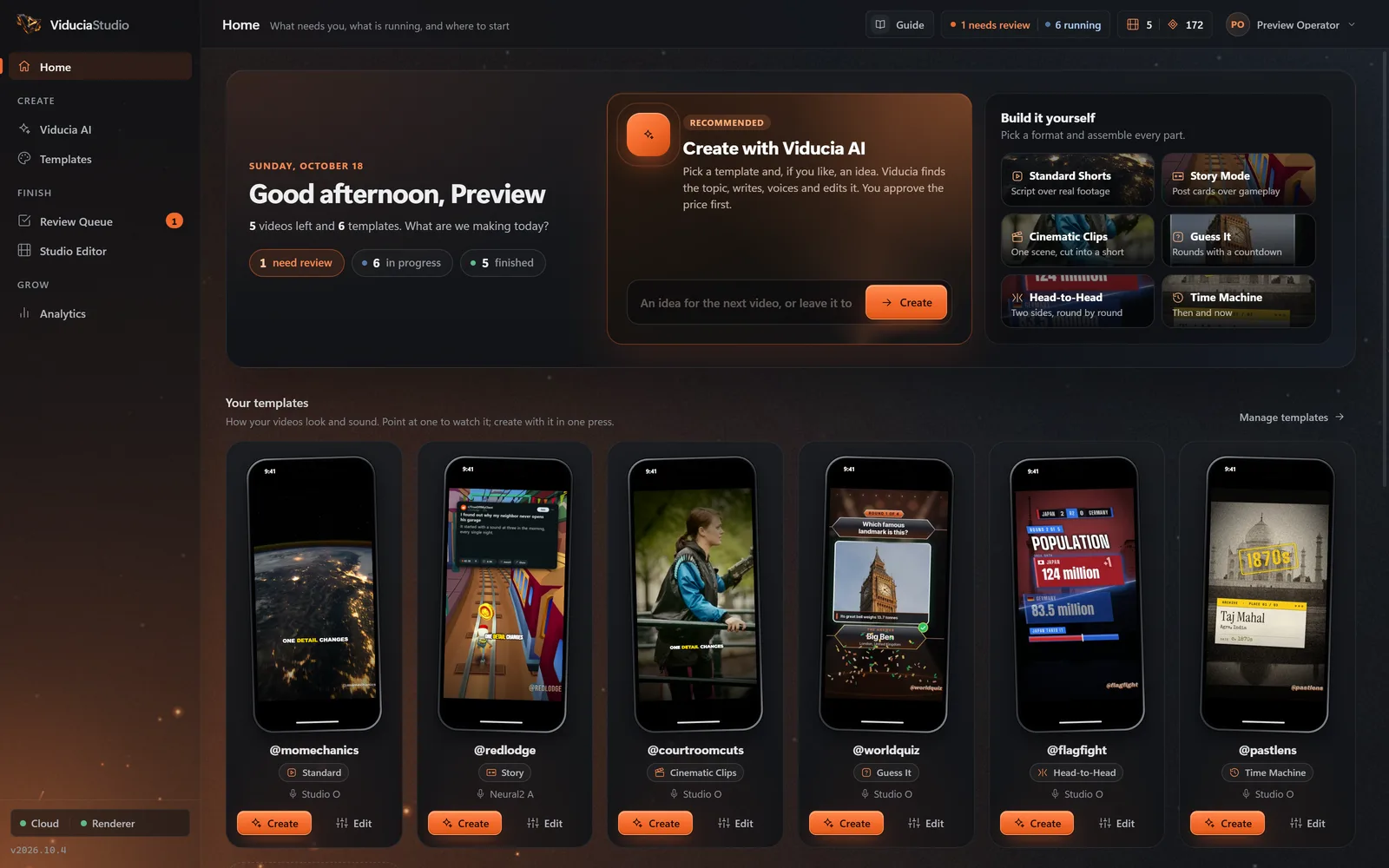
ViduciaStudio arrives in the Microsoft Store at launch
Until then, create a free account and build your first template in the browser with the Template Studio. It will be waiting in your account when you sign in to the app, and the 7-day free trial on Starter starts from there.
Already have an account? Sign in.
System requirements
Read from the installer and the app itself. Where something has no tested minimum, this page says so rather than guess.
Windows on ARM is untested. There is no Mac or Linux version yet.
- Windows
- Windows 10 version 1809 or later, or Windows 11, 64-bit (x64)
- Internet
- Required to sign in, make videos, read analytics and upload finished renders
- Disk space
- About 1 GB for the app, plus space for your videos; 10 GB is recommended. The app’s storage limit starts at 10 GB and you can change it.
- Graphics
- Optional. An NVIDIA graphics card speeds up the final render with NVENC; without one, the processor renders
- Processor and memory
- No published minimum
- FFmpeg
- Included with the app; nothing to install separately
- Microsoft WebView2
- Installed by the setup if your PC does not have it yet (needs internet during setup)
- Administrator rights
- Needed to install and to update; not needed to run the app
- Screen
- Designed for 1440 × 920; works down to a 1080 × 700 window, including laptops at 125 to 150% scaling
- Clock
- Your PC’s clock must be within 5 minutes of the real time, because every request from your PC is signed
What runs where
The heavy AI work happens in the cloud; the final cut happens on your PC. The two meet through signed instructions.
In the ViduciaStudio cloud
- Research, the script and its hook score, and the fact check
- Narration and word-timed captions
- Finding and checking footage, pictures and data
- The edit plan, music, sound effects and quality checks
- Your templates, projects and account; the AI and payment keys stay here
On your PC
- The final render, with the bundled FFmpeg: NVIDIA NVENC when available, the CPU otherwise
- The Studio Editor and its preview
- The finished MP4, once you download it from the Review Queue
- Your sign-in, only if you tick Remember me, kept in Windows Credential Manager (never your password)
- A storage manager that clears old working files once your limit is reached
After rendering, the app uploads the finished video to your workspace, where the cloud checks its size and checksum. That is how the Review Queue can show and download it again after the app clears space on your PC.
Your first video, step by step
The app’s Getting started checklist walks you through the same steps.
- Install ViduciaStudioChoose Get in the Microsoft Store, then open ViduciaStudio from the Start menu.
- Sign inUse the account you made on this site. No account yet? Create an account in the app opens this site, where it takes a minute and a six-digit email code.
- Start the free trialPlan & Tokens, Start free trial. 7 days, 4 videos and 75 edit tokens; a card is required.
- Make a templateGuided setup takes you through the format, narrator, captions, sound and length, or pick the template you built here.
- Create with Viducia AIAdd an idea or leave it blank, approve the price, then review, render and download.
Before you install
More in the FAQ.
Is there a Mac or Linux version?
Not yet. ViduciaStudio runs on Windows 10 and 11 only. You can still create an account and build a template in the browser on any computer.
Does it work offline?
No. Research, writing, voice and footage happen in the ViduciaStudio cloud, so the app needs an internet connection. Only the final render runs on your PC.
Where does the video render?
On your Windows PC. The cloud prepares the project, then the app renders the 1080 × 1920 master with its bundled FFmpeg, using NVIDIA NVENC when your PC has a supported NVIDIA graphics card and the CPU otherwise. Keep the app open while it renders.
Is there a free plan?
No. Starter comes with a 7-day free trial (card required); cancel before it ends and you pay nothing. Creating an account and building templates on this site is free.